Back to menu
Al Alamiah AX-350 and AX-370
To run these MSX2 machines in blueMSX, you
need the complete config files with all the
specific roms. Check the Resource page of the
blueMSX
website and unzip the config files in the
Machines subdirectory of the emulator.
These machine have a tape interface and a
diskdrive. Switch key between Arabic and
English characters is RightAlt. A mouse is
required to use the Painter.
The AX-370 is very similar to the AX-350, but
it is based on a Sanyo MSX2+ machine,
especially for the drive, instead of a Yamaha
MSX2 machine and the MSX2 VDP is replaced by
the MSX2+ VDP (the BIOS remains a MSX2 BIOS).
These computers comes with an integrated
firmware. You can skip it and use MSX-BASIC
without Arabic extensions by pressing LeftCTRL
when booting.
From MSX-BASIC, you can go back to the
firmware menu by typing CALL MENU, the
word processor by typing CALL SWP, the
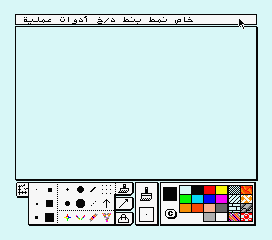
Painter by typing CALL PAINT
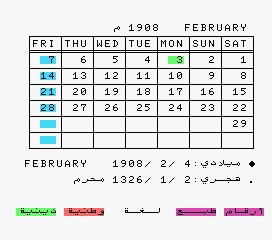
and the calendar by typing CALL
CALENDAR.
 |
|
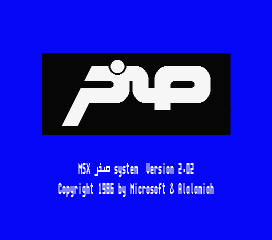
From this intro screen, you know
directly that this computer is an
Arabic machine. |
 |
|
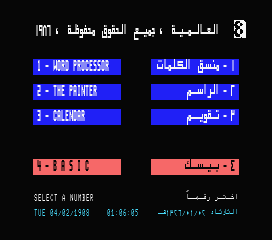
Without any game in a cartridge
slot or the diskdrive, you come on
this firmware menu :
1 - Word Processor
2 - The Painter
3 - Calendar
4 - MSX2-Sakhr BASIC |
 |
|
 |
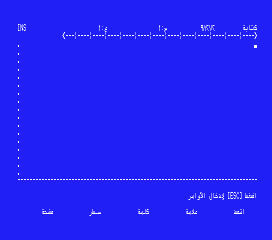
| Word Processor - Arabic version |
|
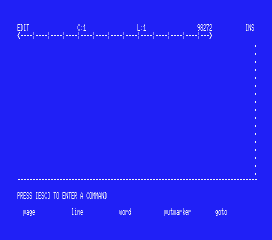
Word Processor - English version |
 |
|
 |
| The Painter - Arabic version |
|
Calendar |
Back to menu